You finish a long call, a lecture, or a batch of voice notes. Somewhere in there is the one sentence you actually need. To find it, you have to listen to the whole thing again, or scrub through it and hope you land in the right spot.
VocaScript is an AI transcriber aimed at exactly that problem. It is built for recordings that run for hours, not just a few minutes. This guide covers what it does, how to start using it, what it costs, and the honest limits worth knowing before you depend on it.
What VocaScript is
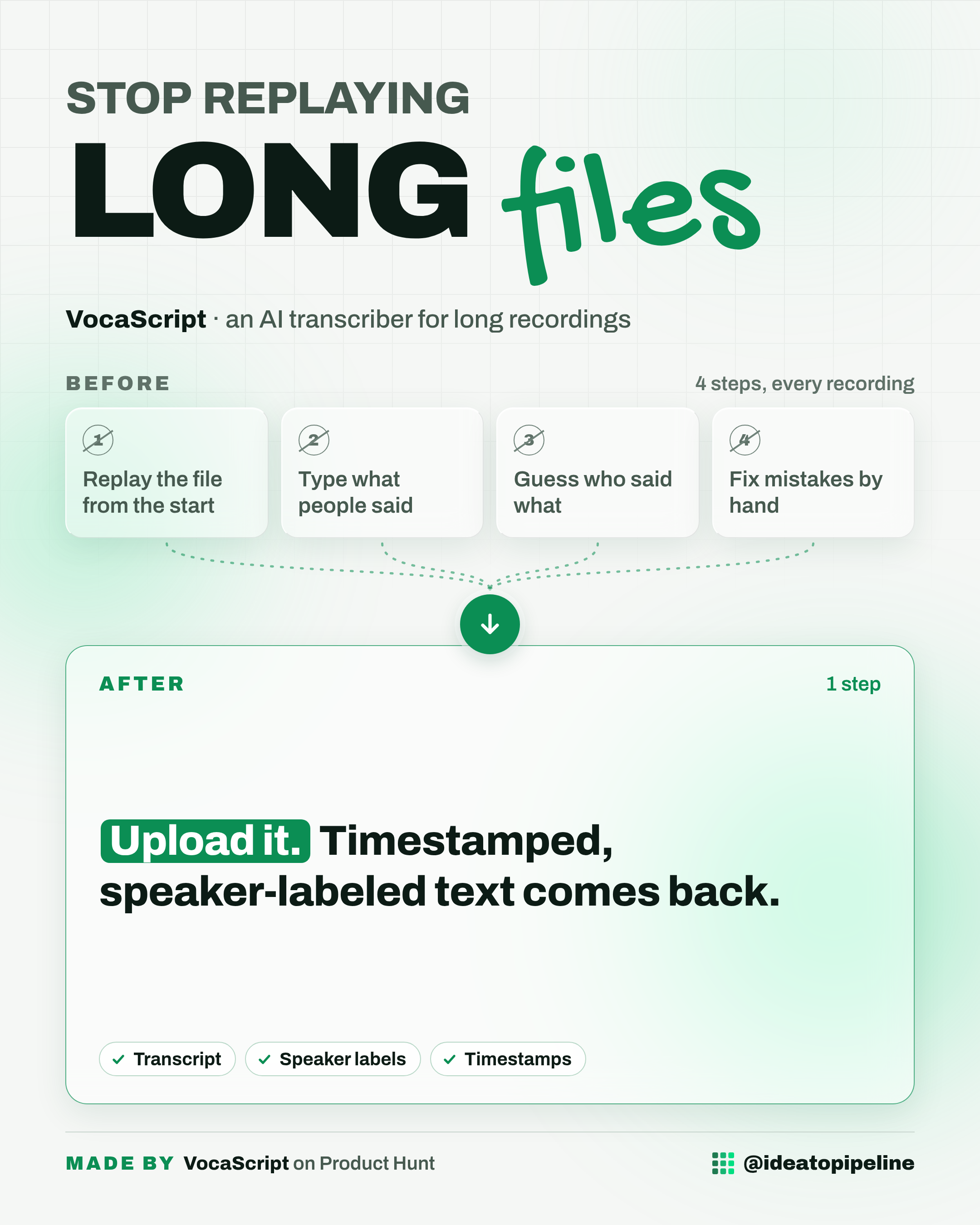
VocaScript turns a recording into written text. You get a transcript with timestamps and speaker labels, which means the text shows who said each part and at what moment.
It is built for long recordings. According to the maker, it handles anything from WhatsApp voice notes to long podcasts, lectures and even 10 hour streams, and it does not ask you to split the file up first.
It works like a fast typist who sits through the entire session and hands you the notes at the end, with a note in the margin about the parts they were unsure of.
It handles 100+ languages, including recordings where people switch languages in the middle of the conversation.
What you can do with it
- Transcribe hours-long recordings in one go. You do not need to cut the file into smaller pieces first. Paid plans take recordings of 4, 8 or 16 hours, according to the maker.
- Get timestamped, speaker-labeled text in 100+ languages, even when speakers switch languages.
- Run a quality report. Every transcript is checked against the audio to auto-fix what it can, and the report lists the spots that still look off and takes you straight to each one. You tick what you want fixed and it fixes it: made-up and repeated lines get removed, timestamps get corrected.
- Fix a missing passage surgically. If a stretch of speech is missing, it transcribes just that stretch.
- Clean up speaker labels. The report tells you when two labels sound like the same person and can merge them by voice. Or you open the speaker list, listen to a short clip of each one, and rename or merge them yourself.
- Transcribe while you browse. With the extension, one click on whatever you are watching or listening to shows captions right on the page so you can read along.
- Work with the text afterwards. There is translation, summaries, proofreading, chat with your transcript, word timings, an editor, search, and exports to TXT, SRT, VTT and JSON.
How to set it up
The source does not describe a formal setup process, so here is what it does say about getting started.
- Go to the VocaScript site. You can try it with no signup at all, which gives you 5 minutes per file.
- If you want more room, create a free account. No card is needed.
- Bring in your recording in one of three ways. Upload a file, paste a link, or use the browser extension to transcribe as you browse.
- Let it run. You get timestamped text with speaker labels, checked against the audio.
- Open the quality report. It lists every spot that still looks off and takes you to each one. Tick what you want fixed and it does it.
- Review the speakers. If two labels sound like the same person, merge them by voice, or open the speaker list and handle it yourself.
- If a run stops partway, run it again on the same file. It knows where the transcript stopped and carries on from there, so you do not need to split or cut the file.
- Move the text where you need it. Export to TXT, SRT, VTT or JSON.
Nothing here needs installing software or using a terminal. The extension is the only extra piece, and it is a browser add-on.
What it costs
You can try it with no signup, limited to 5 minutes per file.
A free account, with no card needed, does 25 minutes per run. You can run it again on the same file to pick up where it stopped, up to 2 hours a month.
Paid plans start at $10 a month. They take recordings of 4, 8 or 16 hours and raise the limits across the board.
The source does not break down the price of each paid tier. Check the official page before you rely on it.
Who it's for
Good fit if you record meetings, interviews, classes, podcasts or long streams and need them written down, especially if other tools have given up on your long files or given you text you could not trust.
Skip it if you only handle short clips, if you need pricing fully spelled out before you commit, or if you need the same speakers recognised across separate files. Right now voice matching only works inside one recording, so on a weekly call with the same three people you would rename them each time.
Good to know
The maker is upfront that it is not perfect. It catches and fixes most of the common problems before you see the transcript, but the quality report exists because some things still need a human eye. Budget a few minutes to work through that report rather than assuming the first pass is final.
Voice matching does not carry across files. If the same people appear in a weekly recording, you rename them each time. The maker has said this is being looked into, but there is no date and no promise.
There is no API yet. The maker said one would be made available if there is strong enough demand, and has not ruled it out. If your team needs to plug transcription into another system, that is not possible right now.
Free runs have small limits, 5 minutes per file with no signup and 25 minutes per run on a free account, so a long recording will need a paid plan or several runs.
The source does not list a price for every paid tier. Check the official page before you rely on it.
One small habit that helps any transcript: before your next long recording, ask everyone to say their name once at the start. It makes the speaker labels far easier to sort out later.
You can find VocaScript here: VocaScript on Product Hunt.