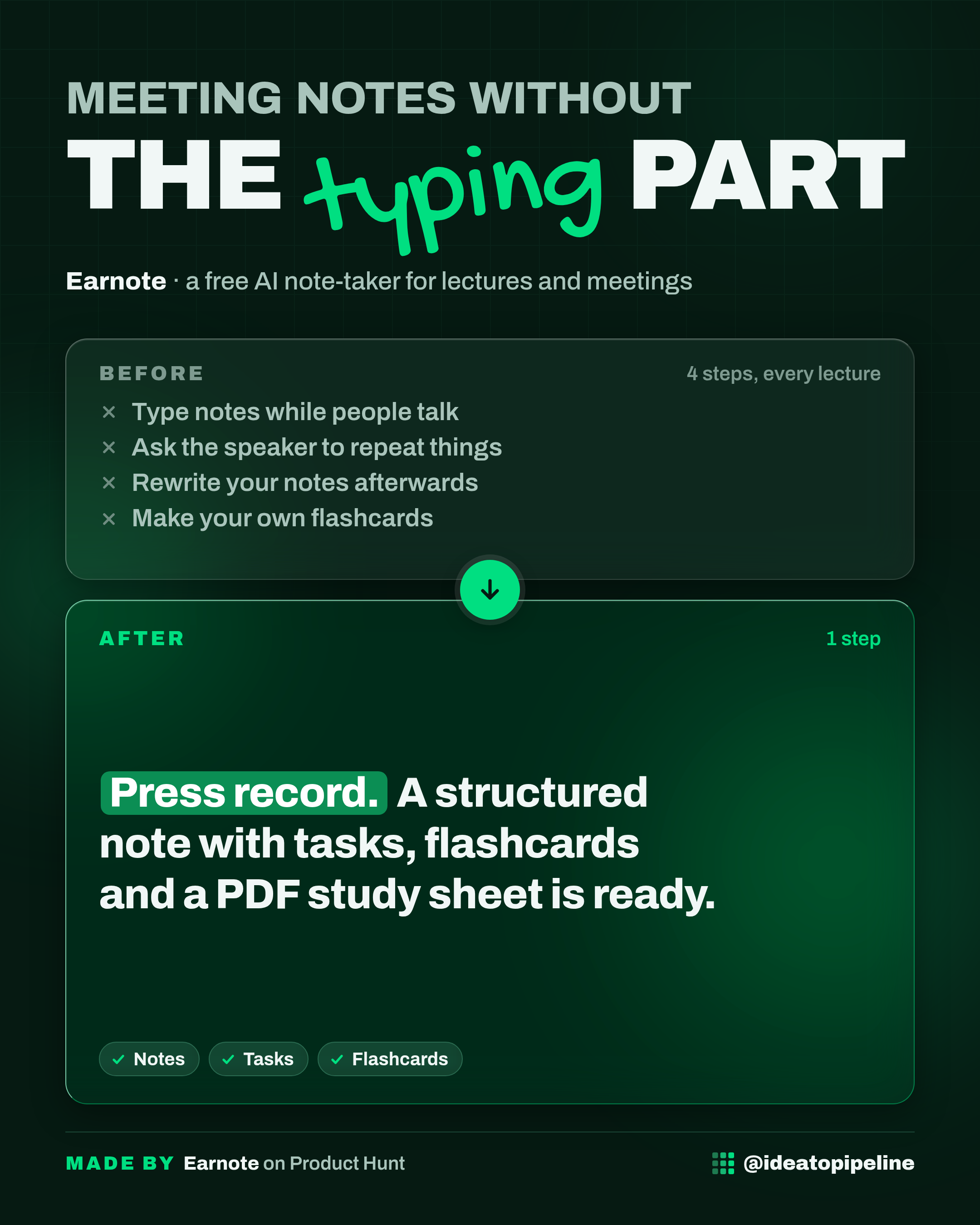
You sit down to listen, and your hands are busy typing. By the time you look up, you've missed the point. Or you record a meeting and never listen to the file again.
Earnote is a free note-taker for iPhone, iPad and Mac that records the talk, transcribes it on your own device, and writes a structured note for you. This guide covers what it is, what you can do with it, how to set it up, what it costs, and the honest catches.
What Earnote is
Earnote is an AI note-taker. You give it a recording, and it turns that recording into a written note.
It works like a patient classmate who sits through the whole lecture with a recorder, then hands you a tidy page afterwards. You don't have to type while you listen.
The transcription is done with Whisper, a speech recognition tool that runs right on your iPhone, iPad or Mac. "On-device" means the audio is processed on your own phone or computer, not sent to a company's servers.
Earnote is free and open source under the MIT licence. Open source means the underlying code is public. It needs no account, shows no ads, and has no subscription.
What you can do with it
- Record a lecture, a meeting, or your own spoken explanation, and Earnote transcribes it with Whisper.
- Get a structured note back: a summary, the tasks and deadlines that were actually mentioned, flashcards to quiz yourself, and a PDF study sheet.
- Share an existing voice memo, an interview, or a lecture video to the app instead of recording live.
- On iPhone 15 Pro and later, the note itself is written on the phone, so it works in airplane mode.
- On iPhone and iPad, an optional one-time Pro adds speaker detection, asking questions about a note, and translation.
The Mac app is free and open source.
How to set it up
Earnote is an app, so setup is mostly installing it and giving it a recording. The source describes the flow like this.
- Get the app for iPhone, iPad or Mac.
- Put your phone on the table and start recording, or share a voice memo, an interview, or a lecture video to the app.
- Let Earnote transcribe the recording with Whisper, on the device.
- Read the note it writes: the summary, the tasks and deadlines that were mentioned, the flashcards, and the PDF study sheet.
- On iPhone 15 Pro and later, the note is written on the phone, so you can do this in airplane mode.
There is no account to create and nothing to log into. If you want the Pro extras on iPhone or iPad, that's a one-time purchase inside the app. The Mac app is free and open source.
If installing an app feels like more than you want to handle, ask someone you trust to sit with you for the first install. The rest is just pressing record.
What it costs
The source doesn't list a price. Check the official page before you rely on it.
The page does say the app is free, with no subscription. On iPhone and iPad there's an optional one-time Pro purchase that adds speaker detection, asking questions about a note, and translation. The Mac app is free and open source under the MIT licence.
Who it's for
Good fit if you're on an iPhone, iPad or Mac, you sit through lectures or meetings, and you'd rather listen than type. It's also a good fit if you care about your recordings staying on your own device, or if you don't want another account and subscription.
Skip it if you're on Android or Windows. The page describes it for iPhone, iPad and Mac only. Skip it too if you need speaker detection, note questions or translation for free: those are part of the optional Pro on iPhone and iPad.
Good to know
Everything runs on your device, which is the main draw. Your recordings don't have to leave your phone or Mac for a subscription, because there isn't one.
The honest catch is the platform. Earnote is built for Apple devices. If you're on Android, the page doesn't offer you a version.
The Pro extras are optional and one-time, not a monthly bill, but they are still an extra cost on iPhone and iPad. The Mac app stays free.
One more thing worth knowing: the note is only as good as the recording. The page describes transcribing a lecture, meeting, voice memo, interview or lecture video. It doesn't promise to catch a spoken correction, like a date you say wrong and then fix a sentence later. If that matters to you, read the note back before you rely on it.
Earnote launched recently and is open source, so it's a young project. That's fine for a free tool. Just keep your own copy of anything important.
To try it, start on the official page: Earnote on Product Hunt.