If you run a small business, you know the feeling. Messages come in on WhatsApp, Instagram, email and your website, and you are the only one answering them. You copy the same reply five times a day, and the tricky questions still land on you at 9pm.
This guide walks through Concierge by Juniors AI, a tool that puts those channels in one inbox and lets AI answer the repeat questions while you handle the rest. You will see what it does, how setup works in plain words, what it costs, and the honest catch before you commit.
What Concierge is
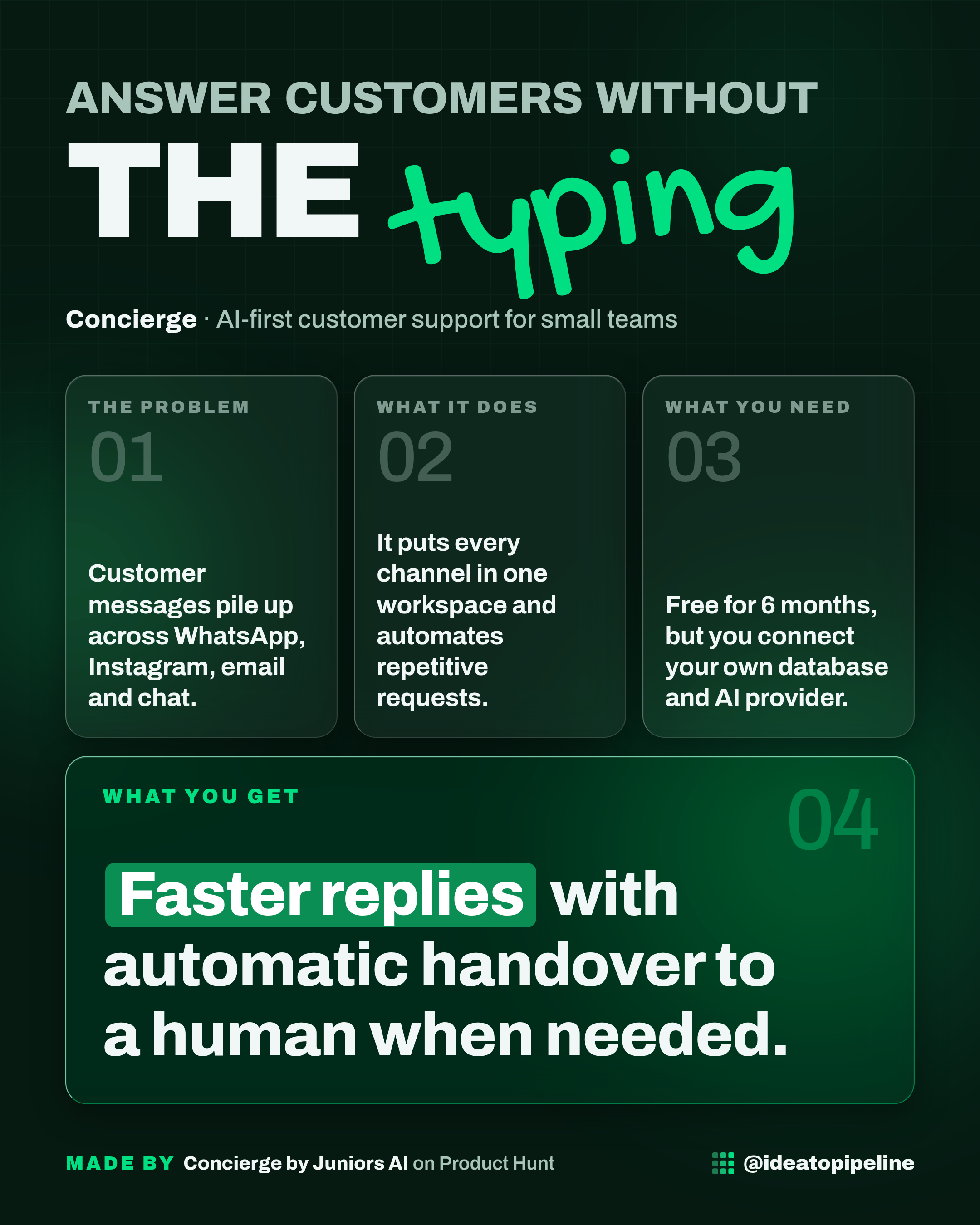
Concierge is AI-powered customer support for modern teams. It brings WhatsApp, Instagram, email and in-app chat into one workspace, answers repetitive requests automatically, and hands a conversation to a human when it is unsure.
It works like a front-desk assistant who has read your handbook. They answer the standard questions, say where they found the answer, and tap you on the shoulder the moment something feels off.
The part that makes Concierge different is where it runs. It is built on what the makers call a Bring Your Own Infrastructure model. In plain words, you connect your own database, your own storage and your own AI provider keys (the login details that let a tool use an AI model), and Concierge handles the orchestration, meaning it runs the moving parts between them. The makers say your conversations, knowledge base documents and customer context live in your own setup, and they only store your organisation identity and login.
What you can do with it
- Answer every channel from one inbox. WhatsApp, Instagram, Gmail or Outlook email, Shopify context and embeddable web chat all flow into a single queue, according to the makers.
- Let AI handle the repeat questions. The AI answers from your own knowledge base, shows its sources, and only replies when it is confident. The makers say it retrieves against your verified knowledge base and injects live customer context before drafting or replying.
- Hand off cleanly when it is unsure. When confidence drops or a policy rule triggers, the conversation goes to your team with a full thread summary, SLA timers and real-time Slack or mobile alerts. SLA means a service level agreement, a promise about how fast you reply.
- Ask questions about your data in plain English. The makers list "Talk to Your Data" as part of the product.
- Track how the AI and your team are doing. Built-in analytics show auto-resolution versus escalation, plus agent scoring, so you can see where the AI resolved issues and where your docs have gaps.
- Use the extras. SLA policies by priority, macros (saved replies), conversation tags, Slack alerts and user context injection are all listed as included.
One more thing the makers mention: you can query conversations from Cursor or Claude through their MCP server. That is a technical route for developers, not something you need on day one.
How to set it up
The source does not describe a full step-by-step setup. What it does describe is the model and the onboarding route, so here is what is actually stated.
- Book a quick call with the team. The makers offer hands-on onboarding for the Product Hunt community through a booking link on the launch page.
- They get you set up and guide you through configuration. The launch post says the team will set you up and walk you through the configuration.
- Connect your own infrastructure. This is the core of the setup: your own PostgreSQL database (with pgvector), Redis and S3-compatible storage. These are technical pieces of cloud infrastructure, not apps you click through.
- Plug in your own AI provider keys. You connect your own OpenAI, Anthropic or Azure OpenAI keys, with a backup model if the primary fails.
- Connect your channels. WhatsApp, Instagram, email and web chat are the channels the makers list.
- Load your knowledge base. This is what the AI answers from. The makers stress it replies only from your own knowledge base, which is why the quality of that content matters.
Be honest with yourself about step 3 and 4. Connecting a database, Redis, storage and API keys is technical work. If you are not comfortable with that, you will need a developer or an IT person to help. The team's onboarding call is designed to guide you through it, but the infrastructure is still yours to run.
What it costs
The launch offer is 6 months free, with hands-on onboarding from the team. The source does not say what happens after those 6 months, and it does not list a regular price.
What the makers do say about cost: you pay API prices, not platform markups. You plug in your own Anthropic or OpenAI keys, and you pay those providers directly. The makers describe this as zero token markup. A token is a small chunk of text that an AI model processes, and providers charge by the token. In practice, that means your AI bill goes to the provider, and you should expect to manage it yourself.
Who it's for
Good fit if you run a small support team that is drowning in repeat questions across WhatsApp, Instagram and email, and you or someone on your side is comfortable owning the technical setup. It suits teams that care a lot about where customer data lives and do not want a vendor holding their conversations.
Skip it if you want something you can switch on in five minutes with no technical help. The bring-your-own model is the whole point of the product, and it is also the barrier. If you do not have anyone who can connect a database and API keys, this will stall before you see any value. It is also not for you if you are happy paying a platform markup in exchange for zero setup.
Good to know
- Your data stays in your own setup. The makers say conversations, attachments, embeddings and knowledge base live in your own PostgreSQL, Redis and S3-compatible storage, and their control plane only handles workspace routing and authentication. Embeddings are the numerical fingerprints an AI uses to search your documents.
- The AI is grounded, not creative. It answers from your verified knowledge base and shows its sources. That is safer, but it means gaps in your docs become gaps in your answers. The analytics are designed to show you exactly where those gaps are.
- You own the AI bill and the keys. No markup is good news, but you are now managing provider accounts and a backup model. The makers built in automatic fallback between primary and backup models, plus prompt caching, which keeps high-volume first-line support fast and at raw API cost.
- The honest catch is the setup. Six months free with guided onboarding softens it, but the infrastructure is yours. Budget time for the technical work, or budget for someone who can do it.
- The source is a launch page, not a manual. Details like pricing after the free period, exact channel limits and long-term support are not covered. Check the official page and ask the team directly before you rely on anything here.
If you want a simple next step before choosing any tool, write down the five questions you answer most often. That list is exactly what you would feed into a knowledge base first, with Concierge or anything else.